
01 / START WITH WORDS
Describe your
collectable.
A woodland explorer. An imagined vehicle. A character from your own world. Start with a text description and develop the visual concept in My Idea3D.
Create from a description ↗︎From a few words to a new dimension.
Text prompt → image → 3D model → print-ready model → optional printed model
Give your idea a clear shape.
Describe the subject, pose, silhouette and a few defining details. Develop the image before moving to 3D.
Read the description guide →Review at every stage.
A concept image, digital model and print-ready file are different outputs. Print preparation and physical printing depend on the package and options available in the app.
Understand print-ready models →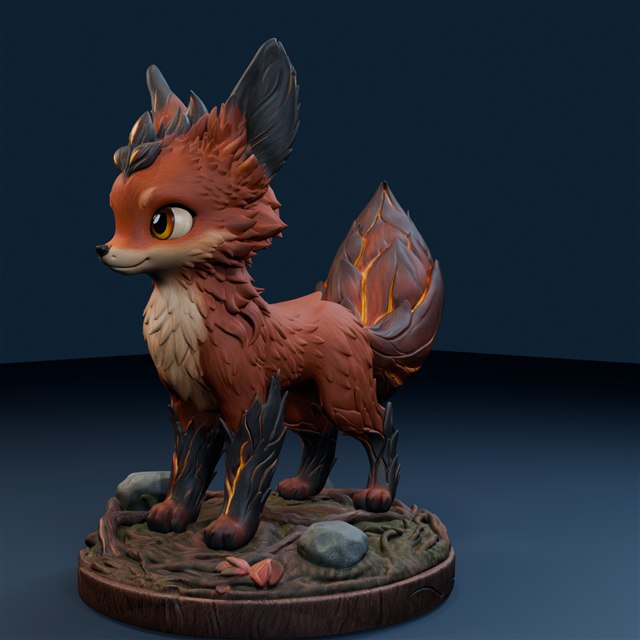
SUBJECT + SILHOUETTE + STORY
A few details.
A clear character.
Cinderbrush combines a recognisable fox shape with one defining feature: an ember-like tail. The woodland base ties the design together.
A description to try
An original grove fox with tall ears, a compact four-legged stance and a sweeping flame-shaped tail. Layered fur, a curious expression and a circular woodland base.
A writing exercise inspired by this model. Your generated result will vary.
Learn to write a clearer brief →Use original ideas and material you have permission to use. Copyright & originality