
KNOW YOUR MODEL
Digital is a start.
Print-ready is a step further.
A 3D model describes a shape. A print-ready model has been prepared for printing. The distinction matters when you're planning a physical collectable.
Check what's included.
Model generation does not mean every result is ready for every printer. Check the included formats, print analysis and repair for your chosen package. Gallery listings describe the files offered for that model.
Compare package inclusions →Plan for your printer.
Scale, material, orientation and supports can change how a model prints. Check the file in your slicing software and follow the instructions for your printer and material. Fine details may need adjustment for a chosen scale.
Read the print-ready guide →- 01
Idea or images
A description, a sketch, a reference. Your starting point.
- 02
3D model
A digital shape you can review and develop in My Idea3D.
- 03
Print-ready model
A model prepared for printing, where the chosen option includes it.
- 04
Printed collectable
A physical display model, available to order on supported designs.
LOOK BENEATH THE COLOUR
Same character.
A different way to look.
Cinderbrush's textured render and single-colour mesh preview help you focus on different parts of the design.
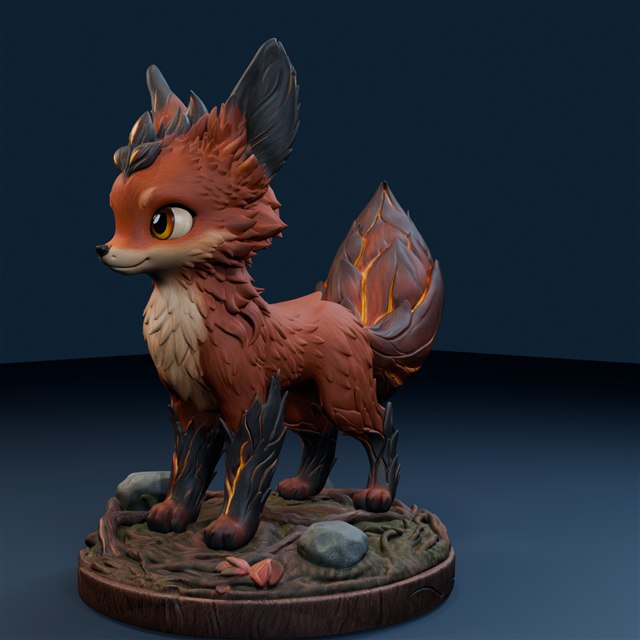
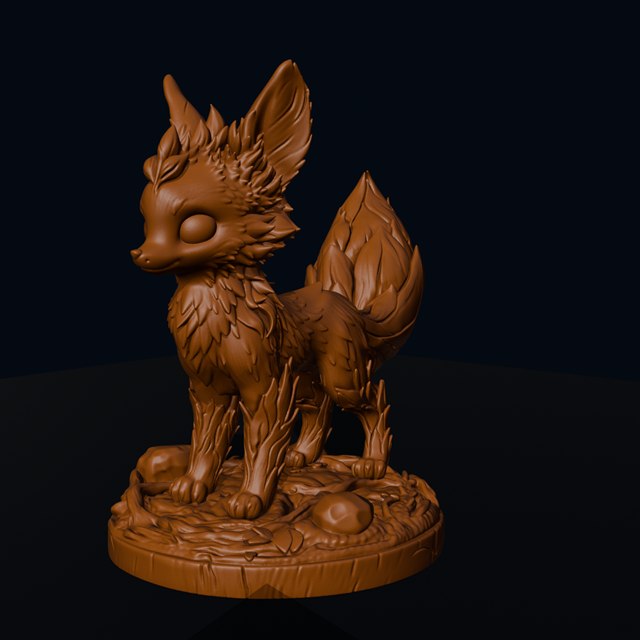
Both images are digital renders. The single-colour view is a mesh preview, not a photograph of a printed model.
The smallest shapes
Look at the ear tips and fine fur. Their size matters when you choose the scale of a print.
The projecting forms
The tail, chest and underside deserve a closer look during support preparation.
The ground contact
The integrated woodland base is part of the shape to check when planning the model's orientation.